Web Dashboard

Run your Messenger sales from one dashboard.

Included with the Standard and Premium packages. Watch conversations, take over from the AI, manage products and see exactly what the automation produced.

How you get access

You create a free Lovable account, we invite you to your own workspace, and you approve the invite. From that moment the dashboard is yours — you can remove us straight away, or keep us as admin for one month so any issue is fixed free of charge.

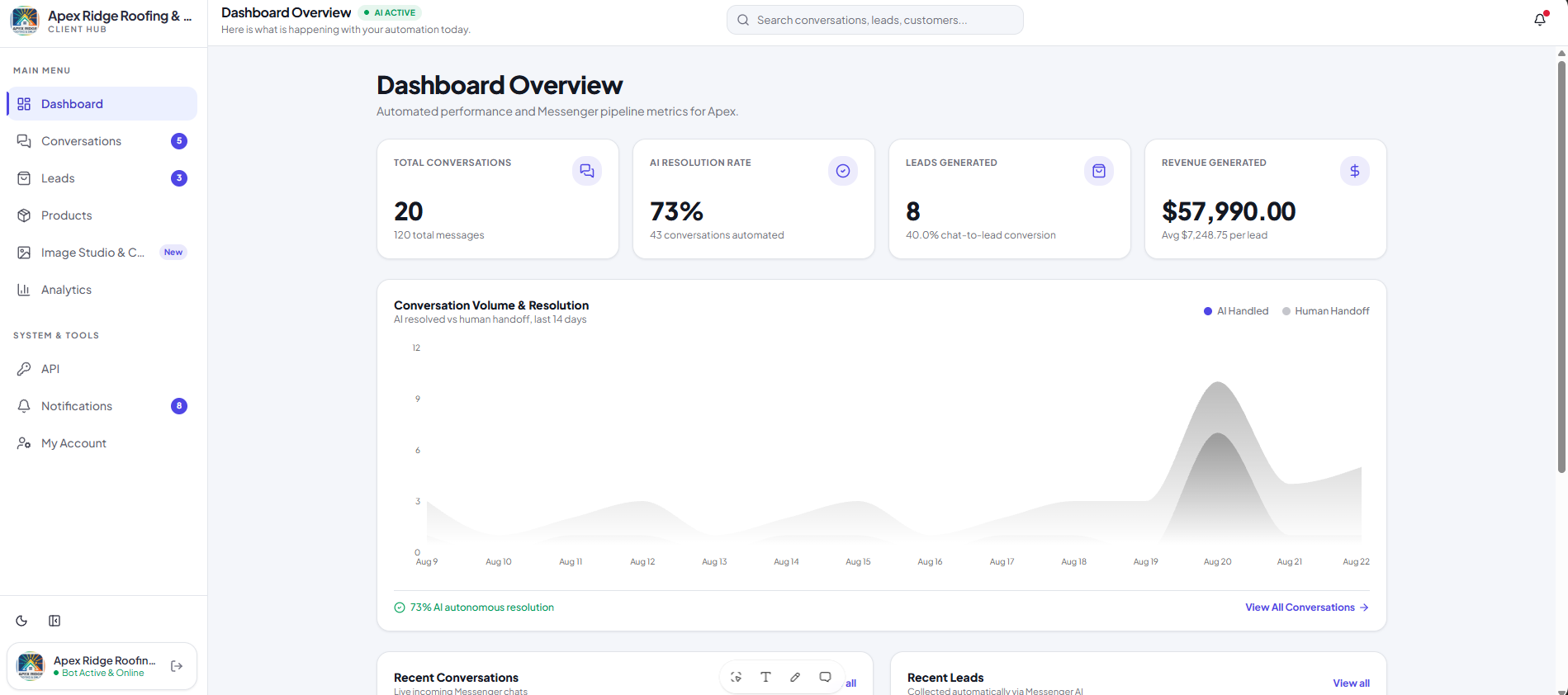
1vs99 dashboard overview with conversations, AI resolution rate, leads and revenue metrics

01

Dashboard overview

Everything your automation did today, on one screen.
  • Total conversations and messages handled
  • AI resolution rate versus human handoff
  • Leads generated and revenue attributed to chat
  • 14-day trend of conversation volume
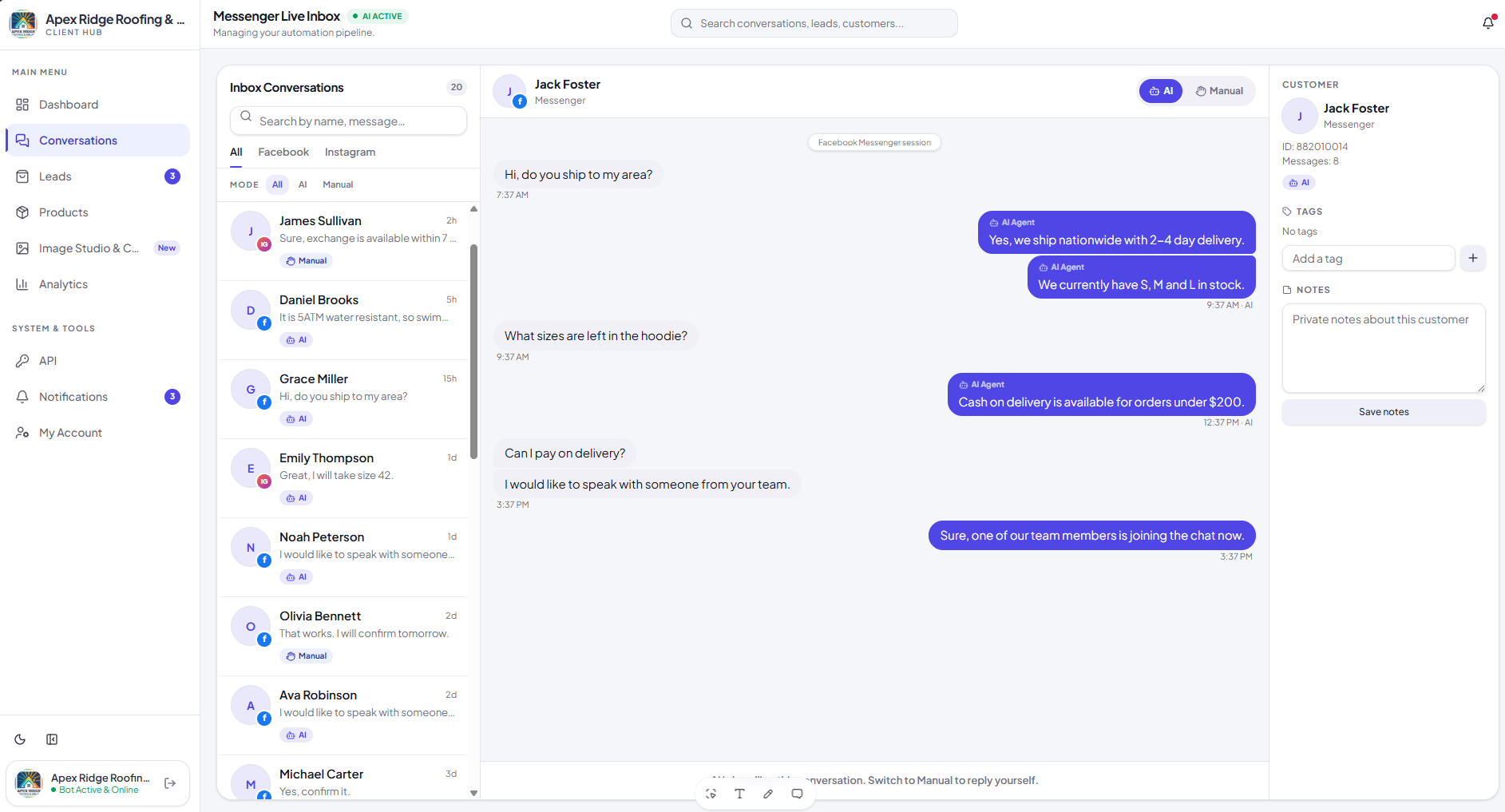
Messenger live inbox in the 1vs99 dashboard with AI and manual reply modes

02

Conversations inbox

Reply like Messenger, and take control whenever you want.
  • Read and reply to Facebook and Instagram chats in one inbox
  • Switch any conversation between AI mode and Human mode
  • In Human mode the AI stays silent until you switch it back
  • Customer-requested handoffs appear here with a notification
  • Customer profile, tags and private notes beside every chat
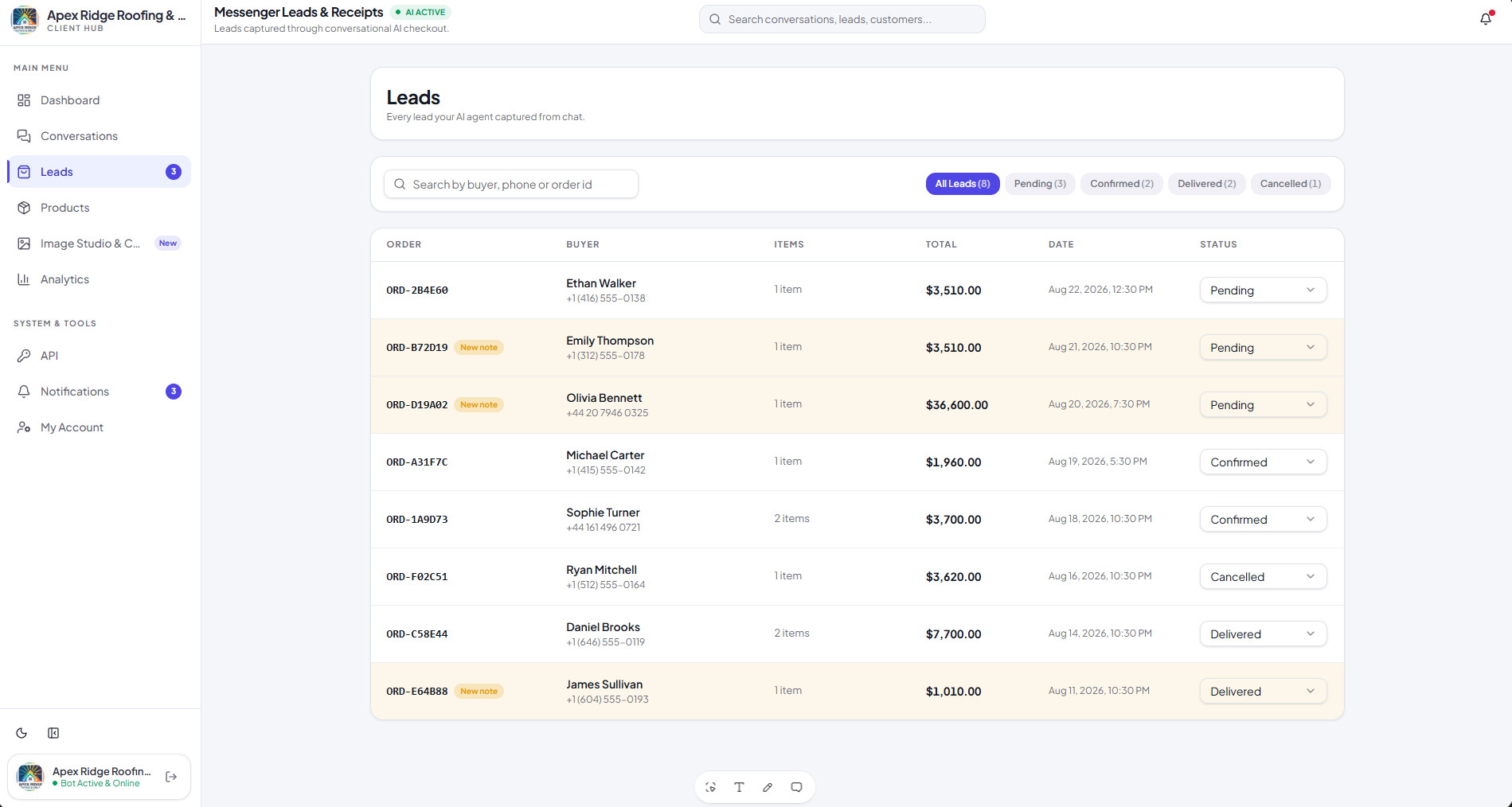
Leads table in the 1vs99 dashboard showing buyers, totals and order status

03

Leads and receipts

Every lead the AI captured from chat, in one list.
  • Buyer name, phone number, items and order total
  • Status control: pending, confirmed, delivered or cancelled
  • Search by buyer, phone or order ID
  • Notes flagged when the AI added something you should read
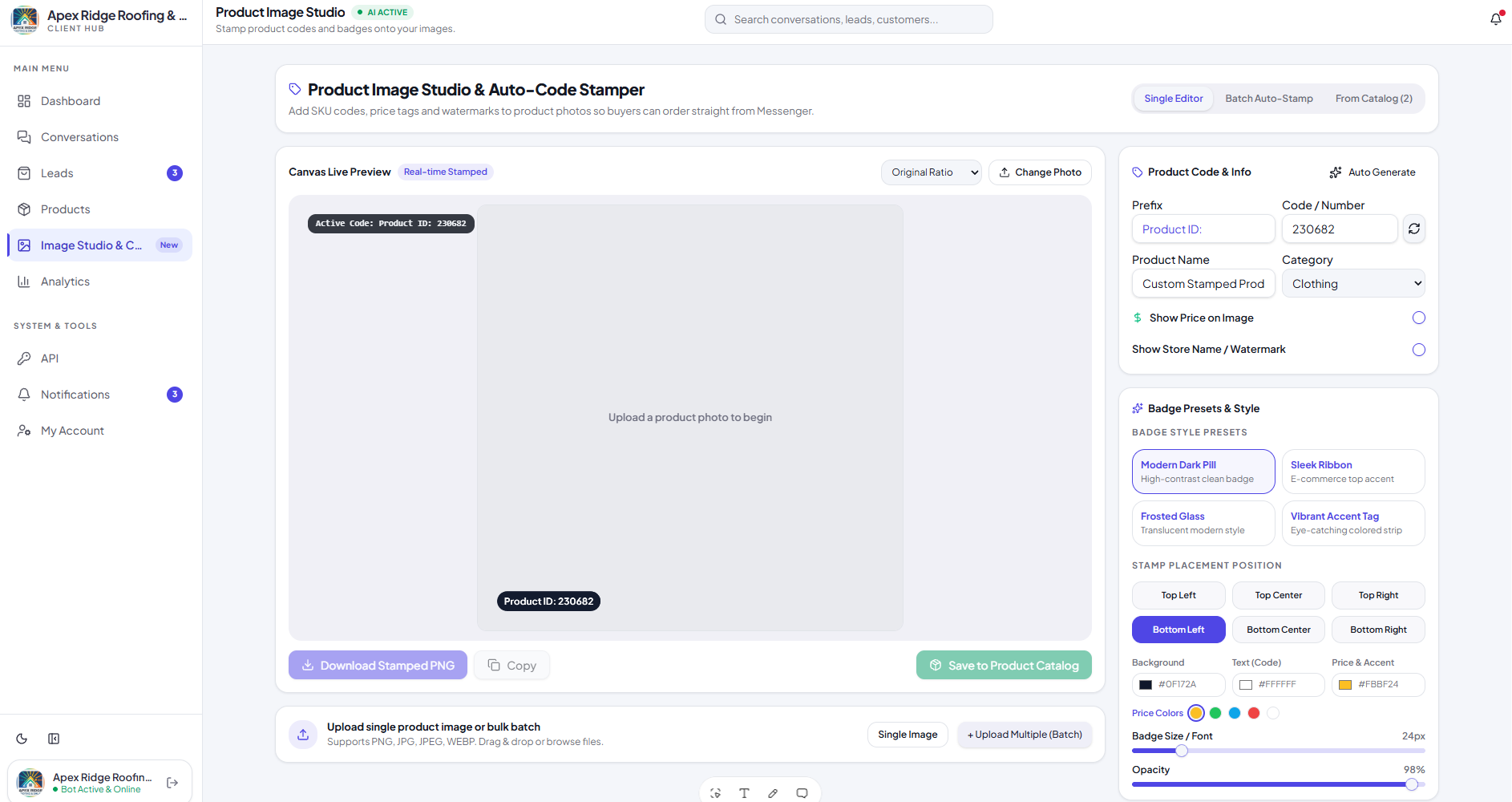
Product image studio stamping a product ID badge onto a product photo

04

Product image studio

Stamp each product's ID onto its image so the AI recognises it.
  • Every product you add gets a unique product ID
  • Add that ID, price tag or watermark onto the product photo
  • Post the stamped image on your Page or in chat
  • When the AI sees the ID in an image, it knows exactly which product it is
  • Single editor or batch auto-stamp straight from your catalog
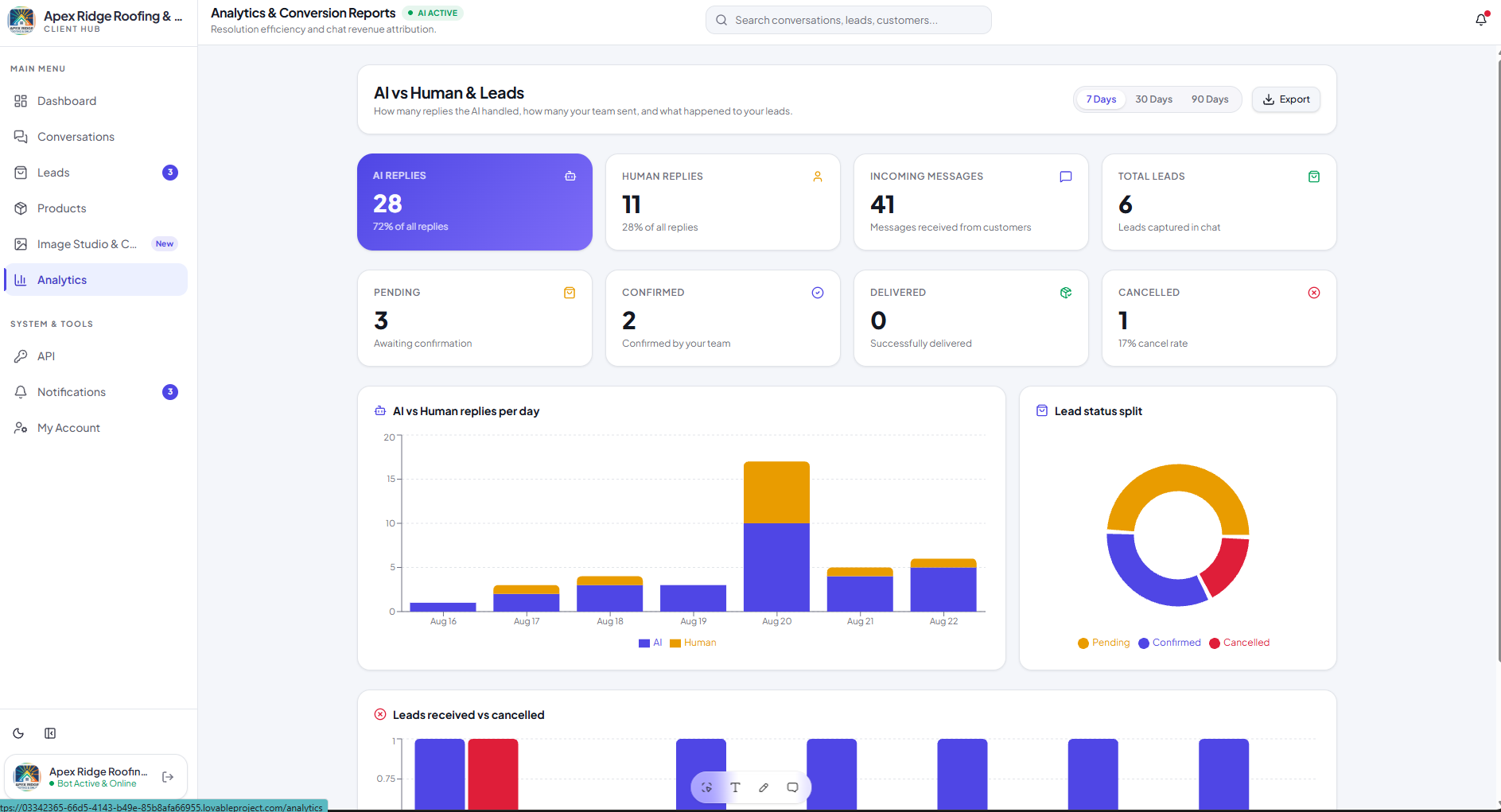
Analytics page comparing AI and human replies with lead status charts

05

Analytics and conversion

How much the AI actually handled, and what it produced.
  • AI replies versus human replies, per day
  • Incoming messages and total leads captured
  • Pending, confirmed, delivered and cancelled breakdown
  • Export the report for any 7, 30 or 90 day window
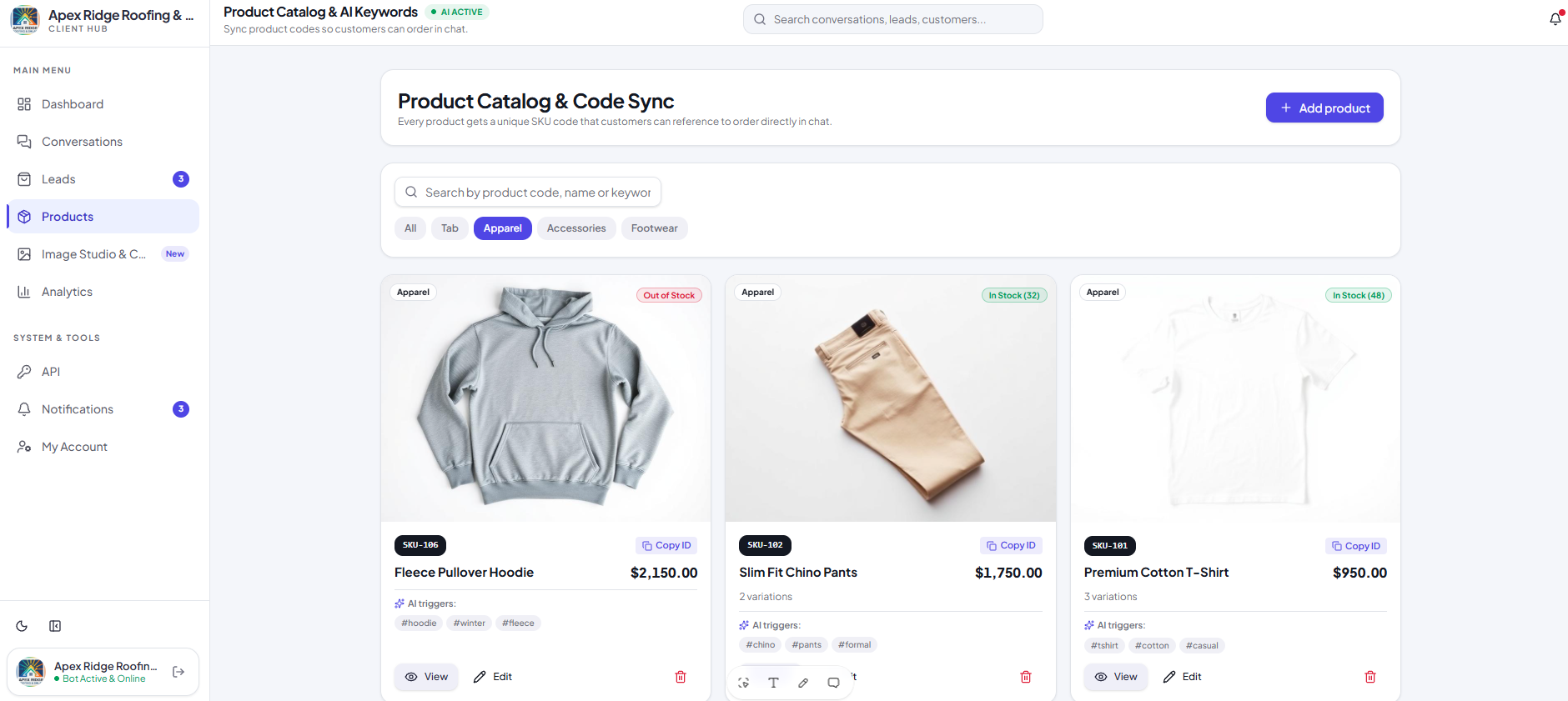
Product catalog page with SKU codes, stock levels and AI trigger keywords

06

Product catalog

The catalog your AI answers from.

  • Add products with price, category, stock and variations
  • Each product gets a unique SKU or product ID
  • AI trigger keywords so the right product is matched in chat
  • Customers can order by referencing the code directly

Ready to Automate Your Business?

Let's turn your repetitive business tasks into intelligent automation.

Custom SolutionsFast DeliveryProfessional Support